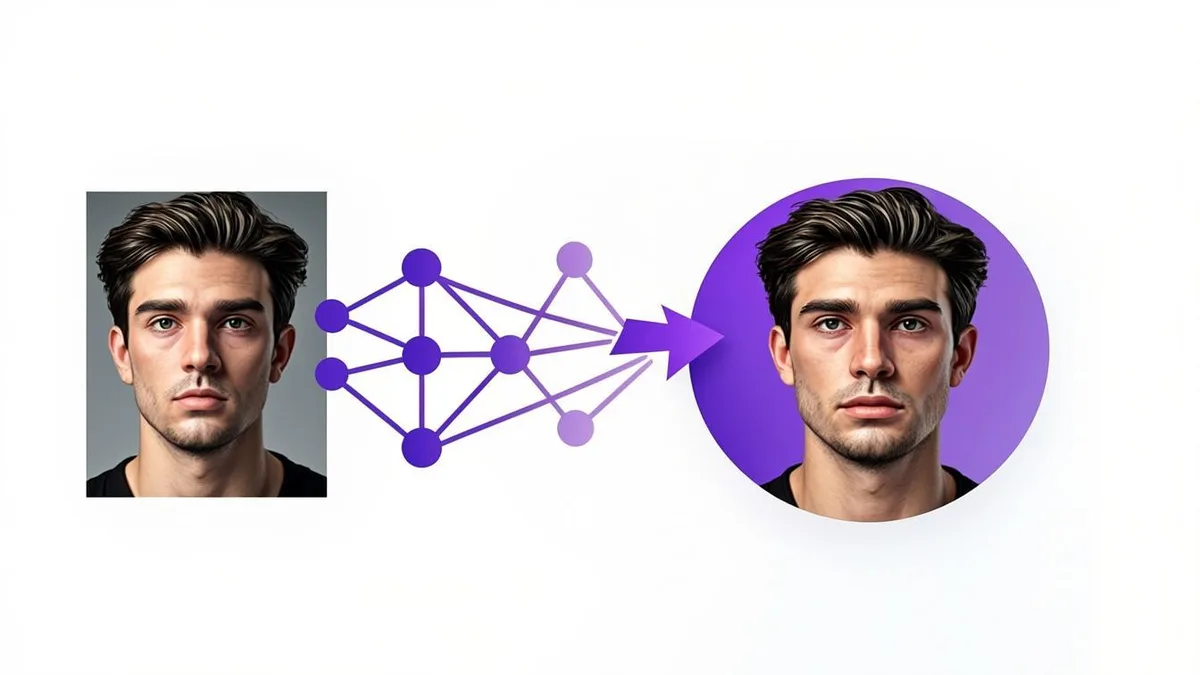
You upload a selfie, pick "Anime," press a button, and thirty seconds later there you are in cel-shaded glory. It feels like magic, which is exactly why explanations tend to either hand-wave ("the AI does it") or drown you in jargon (latents, U-Nets, CLIP embeddings). This guide splits the difference: a genuinely accurate explanation of what happens between upload and download, written for people who do not work in machine learning.
The short version
Modern avatar generators use AI image models — neural networks trained on enormous amounts of imagery that have learned what faces, lighting, and art styles look like. When you upload a photo and pick a style, the tool sends your image to one of these models along with a text prompt describing the style ("anime portrait, cel shading, studio background"). The model then creates a brand-new image that follows both signals: your face supplies the subject, the prompt supplies the artistic direction. One image in, one new image out — no filter is sliding over your original pixels.
What diffusion models are, in plain language
The dominant technique today is the diffusion model, and its core idea is surprisingly simple to picture. Diffusion models are trained by taking real images and gradually adding noise — static — until the image is pure noise, then learning to reverse that process. Do this billions of times and the model internalizes how any image un-noises: what faces emerge from chaos, how hairlines resolve, where shadows settle.
Generation runs that reverse process on purpose. The model starts with a canvas of pure noise and removes it step by step, guided at every step by the prompt and (in tools like this one) by your uploaded photo, until a coherent image crystallizes. That is genuinely what is happening under the hood: the picture you download was "sculpted" out of static, dozens of refinement steps at a time.
How your photo becomes an avatar
Here is the pipeline, step by step:
- You upload a photo. The tool prepares it — resizing and formatting it for the model. (No photo? Describe the character in words instead — the model then works text-to-image, inventing a fictional face from your description alone.)
- Your choices become a prompt. Every setting you pick — style, background, lighting, expression, framing — is translated into text instructions for the model. "Studio background, Soft lighting, Friendly expression" is not UI decoration; it is the steering wheel.
- The model edits, not just inspires. Avatar tools use image-editing models: the model receives both your photo and the prompt, and generates a new image that preserves the structure of your face while re-rendering surfaces, lighting, and background in the requested style. This is why a good source photo matters — the model can only preserve what it can see. The result is a synthetic rendering — your likeness stays recognizable, but every pixel is newly drawn.
- You receive the result as a square 1024×1024 PNG download — the model's full output resolution.
This prompt-driven editing is also why small setting changes produce visibly different results: you are literally steering the model's attention with different instructions. The same logic explains how to keep results consistent: a sharp, front-facing photo, identical style settings, and a few regenerations — identity holds best when your face is clearly visible and your instructions stay steady. Our How It Works page shows the same flow from the user's perspective.
Why results vary between generations
Run the same photo twice with identical settings and you will usually get two noticeably different avatars. Three reasons:
- Randomness is built in. Generation starts from random noise, and that random starting point differs every run. Same destination, different route, slightly different arrival.
- Interpretation, not measurement. The model does not measure your face like a 3D scanner; it interprets it. Interpretations vary — like two artists drawing the same subject.
- Style strength. Heavily stylized modes (anime, cartoon) take more liberty with structure than realistic modes, so variation is wider.
This is a feature to use, not a bug to tolerate: regenerating two or three times and choosing the best result is the intended workflow on any generator, free ones included.
How your photo is handled — the honest version
Privacy claims in this space deserve scrutiny, so here is exactly how this site handles it, without vagueness:
- What happens to your upload: when you generate, the site sends your uploaded image to an external AI image-editing model along with the style prompt you have configured. That model processes the request and returns the avatar.
- What the site stores: uploaded photos are processed in memory and are not stored by this site. There is no gallery of your uploads, no account, no photo library — because there are no accounts at all.
- What is not happening: your uploaded photo is not used to train AI models by this site. We cannot speak for the underlying model provider's infrastructure practices beyond what we send and receive, so we keep the claim narrow: no signup, no storage on our side, and no training on your images by this site.
If you want the fine print, the Privacy Policy lays it out in full, and the FAQ answers the follow-up questions people most often ask.
That is the whole trick: a learned model, a photo, a prompt, and noise refining itself into a portrait. No sorcery — but close enough. Now that you know what is under the hood, put it to work: upload a photo to the AI Avatar Generator and watch the pipeline run end to end.