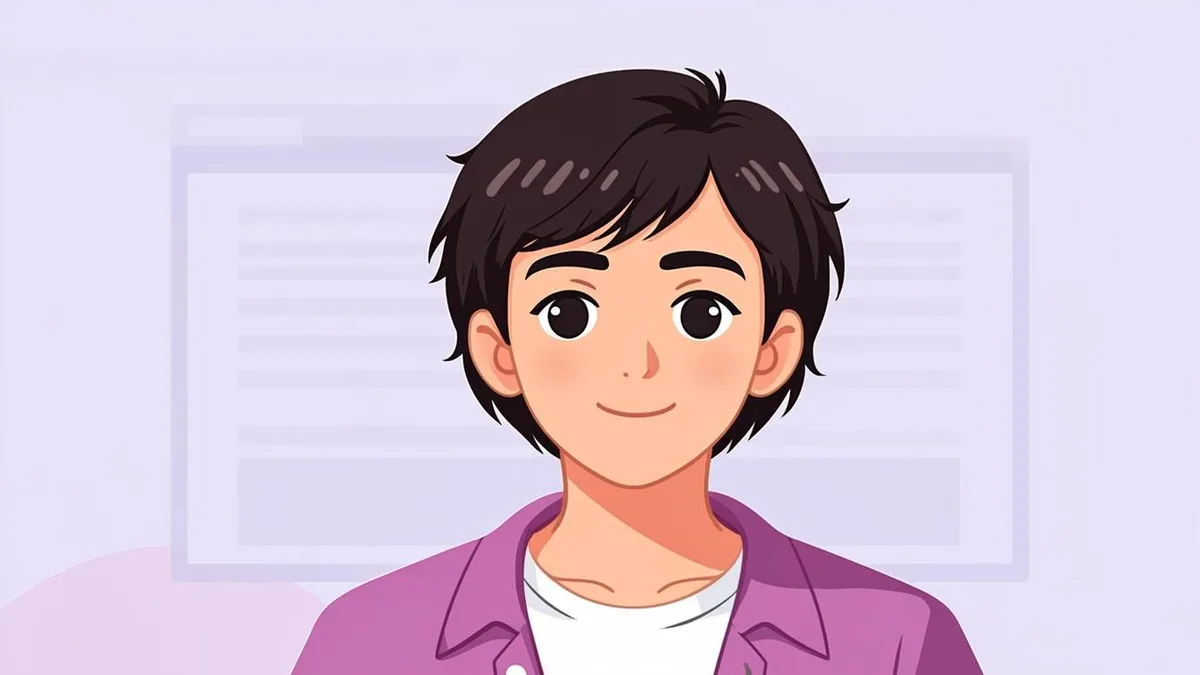
Anime avatars dominate PFP culture for good reason: the style amplifies everything that makes a profile picture expressive — bigger eyes, bolder hair, more readable emotions — while still keeping a thread of you underneath. Turning your own photo into one is a five-minute job with an AI generator. Making it look good, rather than generically anime, takes a few small decisions this guide will walk you through.
What defines the anime look
Two ingredients do most of the stylistic work:
- The eyes. Anime eyes are larger, glossier, and more expressive than realistic ones, with simplified but high-contrast highlights. This is the first thing people register as "anime."
- Cel shading. Instead of smooth photographic gradients, forms are colored in clean, hard-edged patches of tone — the flat-lit look of animation cels. Skin, hair, and clothing each become a small set of color blocks with crisp shadow lines.
Around those, the style adds simplified line work, stylized hair shapes, and often a soft background wash. Hair deserves a special mention: anime renders it as sculptural shapes with defined highlights rather than individual strands, which is why hair usually survives the transformation better than any other feature. When you upload a photo to the AI Anime Avatar Generator, the model re-renders your features through exactly this lens: bone structure and hairline survive, photographic detail is deliberately replaced.
Generic manga-inspired styles vs. named artists
A quick but important note on style ethics. Anime is not one style — every studio and artist has a recognizable hand. When choosing presets and prompts:
- Prefer generic, described styles: "modern anime portrait," "shonen style," "90s retro anime," "soft pastel slice-of-life." These describe broad visual traditions that belong to no single creator.
- Avoid prompting to imitate a specific living artist. Cloning a named illustrator's personal style is ethically murky territory and, frankly, unnecessary — the genre's general vocabulary is rich enough for infinite variation.
- Studio-era descriptors are the sweet spot: they evoke a beloved visual tradition without copying one person's signature.
AvatarForge's presets are deliberately built this way — genre-level styles rather than artist clones — so you get the flavor without the imitation problem.
Making your anime avatar, step by step
- Pick a clean source photo. Front-facing, good light, hair visible. The model reads your hairstyle and face shape directly, so glasses-wearers should decide in advance whether they want glasses kept (upload with glasses) or dropped (upload without).
- Upload to the generator and select the anime style family.
- Choose the background with intent. Soft Gradient backgrounds feel like opening credits; City backgrounds give main-character energy; Studio keeps it neutral for use anywhere.
- Set lighting and expression. Soft or Natural lighting suits most anime looks; Friendly and Creative expressions translate beautifully into the style.
- Framing: Square is versatile; Circle previews how it will look as a round Discord or chat PFP.
- Generate and iterate. Anime is a broad target — your first result is a starting point, not a verdict. Regenerating with the same settings produces meaningfully different interpretations, which is normal for AI generation.
Expression and detail tips
- Lean into expressiveness. Anime rewards emotion. A subtle real-life smile becomes a charming grin in cel shading; a calm look becomes quietly intense.
- Hair is identity. If your hairstyle is part of how people recognize you, check it survived the render before downloading.
- Match the genre to your vibe. Shonen-adjacent styles (bold lines, saturated colors) read energetic; pastel slice-of-life styles read gentle; dark, high-contrast palettes read dramatic.
- Test at thumbnail size. Big anime eyes survive shrinking well — one reason the style is so popular as PFPs — but fine background detail will not.
One honest expectation: the AI's version of you is an interpretation, and likeness varies more in heavily stylized modes than in realistic ones. That is part of the charm for most people, but if recognizability matters, compare one realistic render against the anime one before deciding.
Anime avatars are also a natural gateway into AI character avatars — same tools, fully fictional persona — if you ever want a persona that is not you at all. For now, open the AI Anime Avatar Generator, feed it your best-lit selfie, and meet the animated protagonist version of yourself. The community has been waiting.